
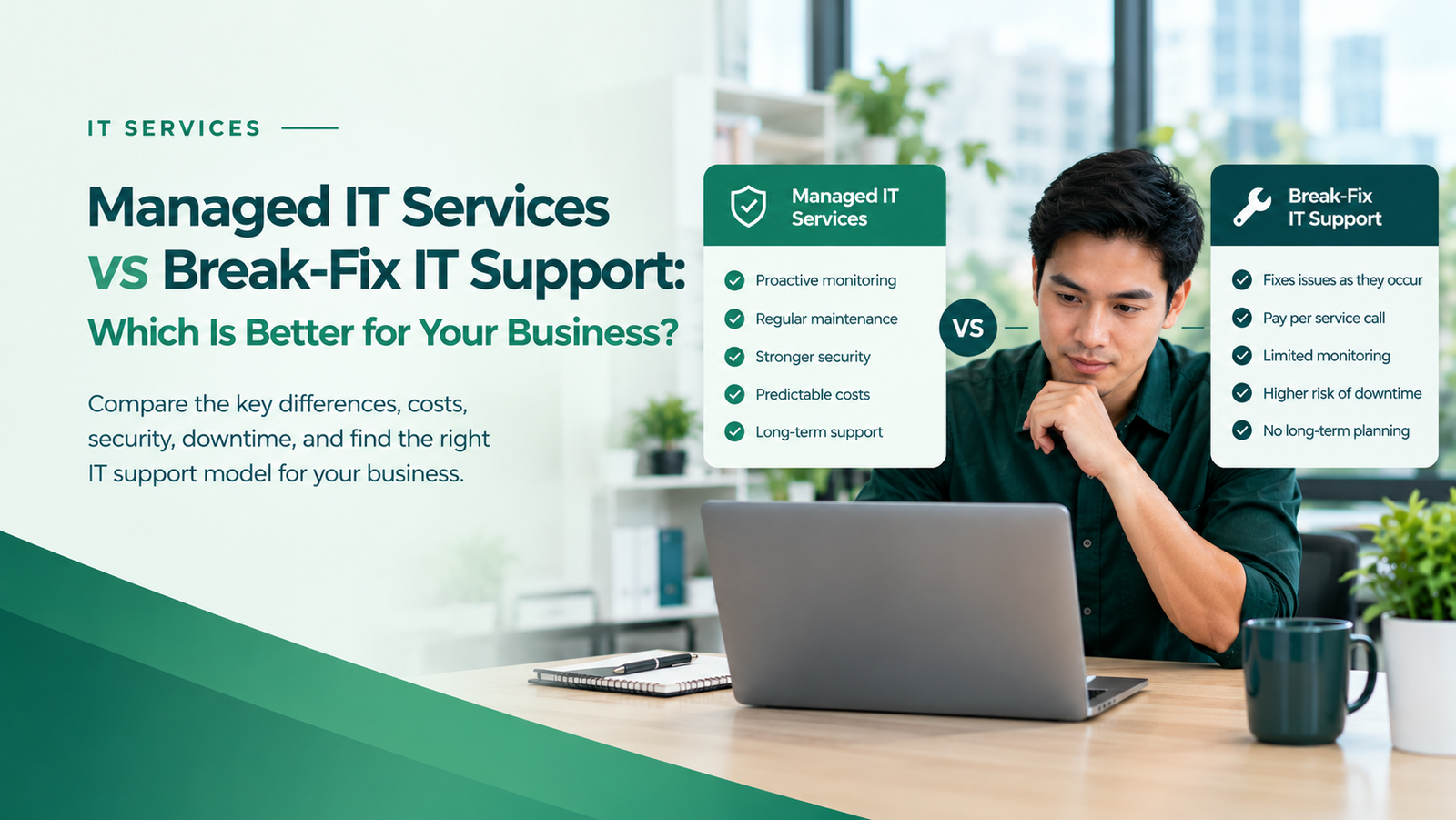
What happens when your business suddenly loses internet access, your systems stop working, or a technical problem brings productivity to a halt? Do you wait for something to break before calling IT support, or prevent problems before they disrupt your operations? That’s the key difference between managed IT services and break-fix IT support—and choosing the right approach can save your business time, money, and unnecessary downtime.
Both IT support models help businesses resolve technology problems. However, they differ in how they handle maintenance, costs, cybersecurity, and long-term reliability.
In this guide, we’ll compare managed IT services vs break-fix IT support to help you decide which approach best fits your business needs.
What Are Managed IT Services?
Managed IT services involve outsourcing some or all of your technology management to a provider that supports your systems on an ongoing basis.
Instead of waiting for a problem to occur, a managed service provider (MSP) helps maintain your technology through scheduled maintenance, monitoring, troubleshooting, and other agreed services.
Depending on your service agreement, managed IT services may include:
- Proactive monitoring: Identifying potential issues before they cause major disruptions.
- IT help desk support: Helping employees resolve technical problems.
- System maintenance: Updating software and maintaining supported devices.
- Cybersecurity support: Managing agreed security controls and protective measures.
- Backup management: Monitoring backups and supporting recovery planning.
- Network management: Maintaining network performance and reliability.
- IT planning: Helping businesses make informed technology decisions.
Managed IT services typically operate under a recurring monthly or annual agreement. The provider’s responsibilities depend on the services and service levels specified in the contract.
For a deeper explanation, read our guide to What Are Managed IT Services?.
What Is Break-Fix IT Support?
Break-fix IT support follows a reactive approach. A business contacts an IT technician when a computer, application, network, or other technology component stops working properly.
The technician diagnoses the problem, performs the necessary repairs, and charges according to the agreed pricing arrangement. This may involve hourly rates, service-call fees, or per-incident charges.
For example, if your office computer stops working, you contact a technician to repair it. If your network fails a few weeks later, you request another service call.
Typical break-fix services include:
- Computer and hardware repairs
- Software troubleshooting and installation
- Network problem resolution
- Malware removal
- Server troubleshooting
- Emergency IT repairs
- Data recovery, where feasible
Break-fix support can work well for businesses with simple technology requirements and infrequent technical problems. However, continuous monitoring and routine maintenance are not automatically included unless separately arranged.
Managed IT Services vs Break-Fix IT Support: Key Differences
The main difference is how each model approaches technology problems. Managed IT services generally emphasize ongoing maintenance and prevention, while break-fix support focuses on resolving issues after they occur.
| Feature | Managed IT Services | Break-Fix IT Support |
|---|---|---|
| Approach | Proactive and ongoing | Reactive and as needed |
| Payment model | Usually a recurring fee | Usually per incident or service call |
| System monitoring | Often included | Generally not included |
| Routine maintenance | Usually included in the plan | Often charged separately |
| Budgeting | More predictable within the agreed scope | Can vary with repairs and emergencies |
| Downtime prevention | Aims to reduce avoidable disruptions | Primarily responds after a problem occurs |
| Cybersecurity | May include ongoing security measures | Often requires separate arrangements |
| IT planning | May be included | Usually focused on immediate repairs |
| Best suited for | Businesses that rely on IT daily | Businesses with occasional IT needs |
Services vary by provider, so review each agreement carefully. Check which devices, users, maintenance tasks, security services, and response times are covered.
1. Cost: Monthly IT Management vs Pay-As-Needed Repairs
Cost is often one of the first considerations when choosing an IT support model.
With break-fix support, you generally pay when a problem requires attention. This can be economical when your business experiences few technical issues. However, repeated repairs, emergency calls, and unexpected failures can make monthly expenses difficult to predict.
Managed IT services typically use a recurring fee based on factors such as the number of users, devices, locations, support requirements, and service scope.
Although you continue paying during quieter months, the agreement may cover maintenance and support that would otherwise require separate service calls.
When comparing costs, look beyond the provider’s invoice. Consider employee downtime, lost sales, delayed projects, emergency repairs, and recovery expenses.
The best financial option depends on your business’s actual IT needs. Break-fix support may be economical for a business with occasional problems, while managed IT services may offer better value for a business that depends on reliable systems every day.
2. Downtime: Preventing
Technology downtime can interrupt sales, customer service, communication, and daily operations.
Break-fix support typically begins after someone reports a problem. The provider then investigates and works toward a resolution. Depending on the issue and the provider’s availability, the disruption may last minutes, hours, or longer.
Managed IT services can reduce certain types of downtime through monitoring, maintenance, and early identification of system issues. These activities cannot prevent every outage, but they can help businesses address some risks before they become major disruptions.
For example, monitoring may reveal that a server is running low on storage. An IT provider can investigate and address the issue before storage limitations interfere with business operations.
If employees regularly lose productive time because of recurring computer, network, or application problems, a proactive support model may be worth considering.
3. Cybersecurity: Ongoing Protection vs Incident Response
Cybersecurity is another important consideration when comparing managed IT services vs break-fix IT support.
A break-fix technician may remove malware, repair a compromised device, or help restore access after an incident. However, a basic break-fix arrangement does not automatically provide continuous security monitoring, routine vulnerability management, or ongoing security maintenance.
Managed IT services may include software patching, endpoint protection management, account security measures, backup monitoring, and other preventive controls. The level of protection depends on the provider’s capabilities and your agreement.
Keep in mind that managed IT services do not automatically include comprehensive cybersecurity coverage. Some businesses may need a separate agreement for advanced threat monitoring, security testing, incident response, or compliance support.
Businesses handling sensitive customer information, financial records, or important operational data should understand precisely which security responsibilities their provider accepts.
Explore Remotijobs Cybersecurity Services to learn more about protecting your business technology.
4. IT Maintenance: Scheduled Care vs Repairs After Failure
Computers, servers, networks, and software require regular maintenance to remain reliable and secure.
Under a managed IT agreement, maintenance activities may include software updates, system health checks, device monitoring, and routine troubleshooting. This helps businesses maintain a more consistent IT environment.
In a break-fix arrangement, maintenance may happen only when requested or when a problem develops. Businesses can purchase separate maintenance agreements, but these services should not be assumed to be part of standard break-fix support.
Without an appropriate maintenance schedule, outdated software, failing hardware, configuration problems, and other issues may go unnoticed until they affect operations.
Regular maintenance does not eliminate every technical failure. However, it can help identify certain problems earlier and support more reliable systems.
5. Business Growth: Ongoing IT Guidance vs Immediate Troubleshooting
Your IT requirements may change as your business grows.
You may add employees, adopt cloud applications, open another location, improve data security, or introduce new business systems. These changes require planning, not just troubleshooting.
A managed IT provider may help assess your infrastructure, recommend improvements, plan upgrades, and align technology decisions with business priorities. Confirm that strategic planning is included in the agreement if you expect this level of support.
Break-fix support can still help with individual installations and upgrades. However, a basic arrangement may not provide the ongoing oversight needed to coordinate technology decisions across your organization.
For growing businesses, this distinction becomes increasingly important as more employees, applications, and devices depend on reliable IT systems.
When Should You Choose Managed IT Services?
Managed IT services may be a good fit if your business:
- Relies on computers, networks, cloud applications, or business software every day.
- Experiences recurring technical problems or disruptive downtime.
- Needs more consistent IT maintenance and security oversight.
- Wants a more predictable support budget.
- Has employees who need regular technical assistance.
- Is expanding and needs help planning technology investments.
- Cannot justify hiring a full internal IT department but still needs ongoing support.
Managed services can be particularly valuable when IT problems affect customer experience, revenue, employee productivity, or essential business operations.
Explore Remotijobs IT Services to learn how ongoing IT support can help your business maintain more reliable technology systems.
When Is Break-Fix IT Support the Better Choice?
Break-fix support may make sense if your business:
- Has only a few computers or simple technology requirements.
- Experiences technical problems infrequently.
- Can tolerate occasional interruptions without significant financial impact.
- Has an internal employee who handles most routine IT tasks.
- Needs help with occasional repairs, installations, or troubleshooting.
- Prefers to pay for individual service calls rather than commit to a recurring agreement.
However, consider whether the apparent savings could be offset by repeated repairs or extended downtime. A low number of service calls does not necessarily mean your systems are adequately maintained or protected.
Can a Business Use Both Managed IT Services and Break-Fix Support?
Yes. Some businesses use a hybrid approach.
For example, a company might pay a provider to manage routine maintenance, monitoring, and employee support while using separate specialists for unusual hardware repairs, major infrastructure projects, or advanced cybersecurity assessments.
Another business might start with break-fix support and transition to a managed plan as its operations become more dependent on technology.
The goal is not necessarily to select one model for every situation. Instead, identify which IT responsibilities need ongoing management and which can reasonably be handled on demand.
Before choosing a hybrid arrangement, clarify responsibilities, escalation procedures, service coverage, and potential additional charges to avoid gaps in support.
How to Compare IT Support Providers
Whether you choose managed services or break-fix support, evaluate providers based on more than price.
Ask these questions before signing an agreement:
- What is included? Confirm the services, devices, users, maintenance tasks, and security responsibilities covered by the fee.
- How quickly will they respond? Check support hours, emergency procedures, and any response-time commitments.
- What costs extra? Ask about after-hours support, projects, hardware, software licenses, and out-of-scope work.
- How is cybersecurity handled? Clarify patching, endpoint protection, account security, backups, monitoring, and incident response.
- How are backups and recovery managed? Determine who verifies backups and whether restoration procedures are tested.
- Can they support your growth? Ask how the provider handles additional users, new locations, cloud services, and changing business requirements.
- How will performance be measured? Request clear reporting on support requests, recurring problems, system health, and agreed service targets.
A reliable provider should explain what it will do, what it will not do, and how it will communicate when a problem occurs.
Frequently Asked Questions
Is managed IT support more expensive than break-fix support?
Managed IT services usually involve recurring payments, while break-fix support charges are generally incurred when assistance is needed. Managed services may cost more during months with few problems, but they can make budgeting easier and include preventive work that might otherwise be purchased separately. Compare the total cost of support and downtime over time.
Does managed IT support guarantee zero downtime?
No. Even well-managed systems can experience hardware failures, software defects, internet outages, cyber incidents, or third-party service disruptions. Proactive monitoring and maintenance can reduce certain risks, but no provider can guarantee that every incident will be prevented.
Does break-fix IT support include cybersecurity?
It depends on the agreement. A technician may offer malware removal or security-related repairs, but ongoing monitoring, patch management, and other preventive services may require a separate contract.
Can small businesses afford managed IT services?
Many providers offer different service levels, allowing businesses to choose support based on their needs and budget. Costs vary depending on the number of users and devices, required coverage, security needs, and service scope. Ask for a clear proposal rather than assuming every managed plan includes the same features.
How do I know when to switch from break-fix to managed IT services?
Consider switching when repairs become frequent, downtime affects business operations, cybersecurity requirements increase, or unpredictable support expenses become difficult to manage. Reviewing recent IT incidents and the cost of lost productivity can help you decide.
Conclusion: Choose the IT Support Model That Fits Your Business
Managed IT services and break-fix IT support address different business needs.
Break-fix support can be practical for organizations that require occasional technical assistance. Managed IT services are generally better suited to businesses that want ongoing maintenance, proactive monitoring, consistent support, and a more structured approach to technology management.
Before making a decision, assess your current IT environment, the impact of downtime, your security requirements, and your expected growth. The right model should support your operations without requiring you to pay for services you do not need.
Want to Improve Your Business Technology?
Understanding your IT risks is a useful first step toward making better technology decisions. Remotijobs helps businesses explore practical technology solutions that support reliability, security, and efficient operations.
Start with our Free Website Growth & Security Assessment or explore our IT Services to identify potential improvements for your business.